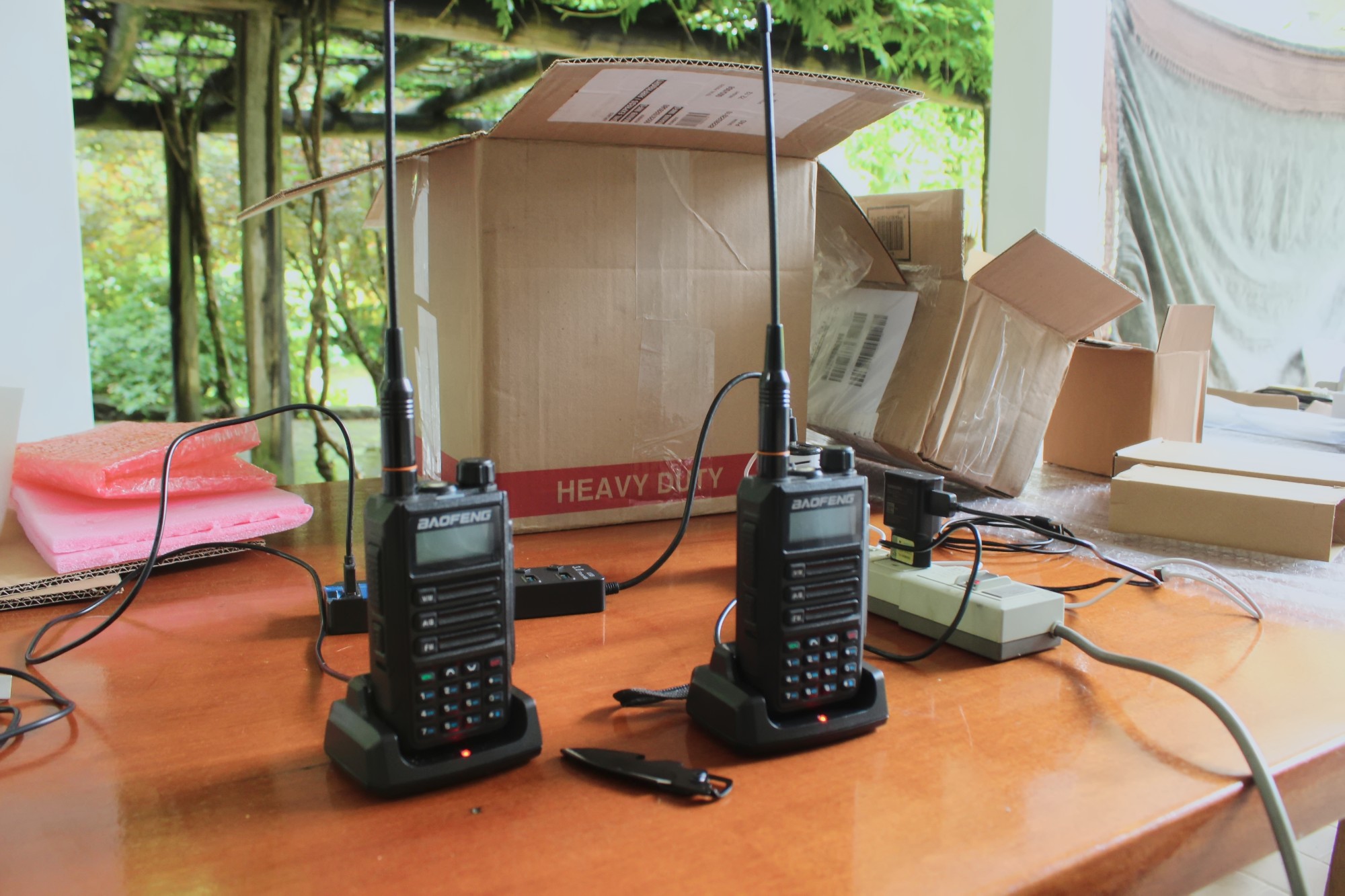
In this exercise, you will take a Baofeng radio out of the box, assemble it, charge it, switch it on and get to know the keys that matter most in an emergency. At the end, the radio will be ready to receive and you will know where each function is. The steps follow the UV-9R Pro, the radio adopted by the kit. The UV-16 Plus is very similar. The differences are noted throughout the text.
Time: about 1 hour, plus 5 hours of charging the first time · People: 1 · Prior knowledge: none
You will need
- a Baofeng UV-9R Pro (or UV-16 Plus) radio in its box;
- a power socket for the charging base;
- the Baofeng menu reference, printed or on a phone.
1. Check what came in the box
According to the manufacturer’s manual, the box contains the radio, the battery, the antenna, the charger with desktop base, the belt clip and the hand strap. The contents may vary depending on the country of purchase. The programming cable is sold separately.
Write down what came and what was missing. This list helps you check the kit after each use.
2. Fit the antenna and the battery
- Screw the antenna on clockwise, holding it by the base, never by the tip.
- Slide the battery onto the rails on the back of the radio until you hear a click.
- To remove the battery, switch the radio off, pull the latch at the bottom and slide the battery down.
Never transmit without the antenna. The radio may burn out.
3. Charge the battery
- Plug the charger into the socket and place the radio, switched off, in the base.
- Check the light on the base:
| Light | What it means |
|---|---|
| Red, steady | Charging |
| Green, steady | Fully charged |
| Red flashing with green steady | Base without a radio or charging fault |
- The first time, leave it to charge for 5 hours. The manual explains that the battery comes discharged and only reaches full capacity after three complete charge and discharge cycles.
The UV-9R Pro can also charge through the battery’s USB-C port. The UV-16 Plus has the USB-C port on the radio itself.
Charge with the radio switched off and at a temperature between 5 °C and 40 °C. Never charge a wet battery. A stored battery needs recharging at least every 6 months. In the kit, the routine is every 3 months.
4. Switch on and set the volume
- Turn the top knob clockwise until you hear a beep. It is the same knob as the volume.
- Set the volume to a medium level.
- To switch off, turn it the other way until you hear the click.
- Check the battery charge on the display icon. To see the exact voltage, hold the 0 key.
5. Get to know the keys that matter most
| Function | UV-9R Pro | UV-16 Plus |
|---|---|---|
| Talk | Hold PTT | Hold PTT |
| Switch between frequency and channel | Switch off and on while holding MENU | V/M |
| Switch between the top and bottom line | EXIT | A/B |
| Open the audio to hear weak signals (monitor) | Hold the SK2 side key | Hold LAMP/MONI |
| High or low power | # | # |
| Lock the keypad | Hold # for 2 seconds | Hold # for 2 seconds |
| SOS alarm | SOS button on top, hold for 5 seconds | Hold FM/SOS for 3 seconds |
The full list is in the menu reference.
6. Understand the two modes
The Baofeng works in two ways:
- Frequency mode (VFO): you type the frequency on the keypad. It is used for listening and for preparing a new channel.
- Channel mode (MR): the radio shows the channels already saved in memory. This is the everyday mode, because it avoids typing mistakes under pressure.
Switch from one mode to the other with the key in the table above and watch how the display changes.
7. Listen before talking
- In frequency mode, type 146520. This is the National Calling Frequency for amateur radio operators, on 2 metres: 146.520 MHz.
- Adjust the noise suppressor (squelch) until the hiss stops. It is menu item 0: MENU 0 MENU, choose a value with ▲ or ▼, MENU and EXIT.
- Hold the monitor to hear whether there are weak signals.
- Spend a few minutes listening. Knowing how to listen to the channel is the first step of any communication.
8. Do a transmission test (qualified operators only)
This step is only for people who hold an amateur radio licence or are with the licensed person responsible for the station.
- Arrange a low-power test with another licensed person, a few metres away.
- Press the PTT, wait one second and speak with the radio 3 or 4 centimetres from your mouth, without shouting.
- Identify the station, as the licence requires.
- Release the PTT to hear the answer.
What you learned
You assembled, charged and switched on the Baofeng, got to know the keys that matter most in an emergency and understood the difference between frequency mode and channel mode. The next step is to save the group’s channels in memory, so that nobody needs to type frequencies in the middle of a response.